How to Convert .M4V to .VOB on Windows and Mac

"Except for VOB, this software consists of other video formats, such as AVI, MP4, MOV, MPEG-2, DVD-Video, and even some mobile devices. How thoughtful it is." more >>
"Except for VOB, this software consists of other video formats, such as AVI, MP4, MOV, MPEG-2, DVD-Video, and even some mobile devices. How thoughtful it is." more >>
VOB (Video Object) is the container format in DVD-Video media. If you plan to import DRM-protected M4V videos purchased from iTunes to a DVD Disk, you can choose to convert .M4V to .VOB. But as M4V videos purchased from iTunes are DRM-protected, you can't convert them without third-party M4V converter software. M4V Converter Genius is an excellent example that supports to remove iTunes DRM and convert DRM M4V to VOB, as well as other popular video formats, such as MP4, MOV, AVI, DV and so on.
The tutorial on converting iTunes M4V video to VOB with M4V Converter Genius will be parted into two parts:
M4V Converter Genius supports to convert iTunes .M4V to VOB on Windows 10/8.1/8/7/XP/Vista. Now let's see the detailed operation steps.
Free download Windows version of M4V Converter Genius and install it on your PC.
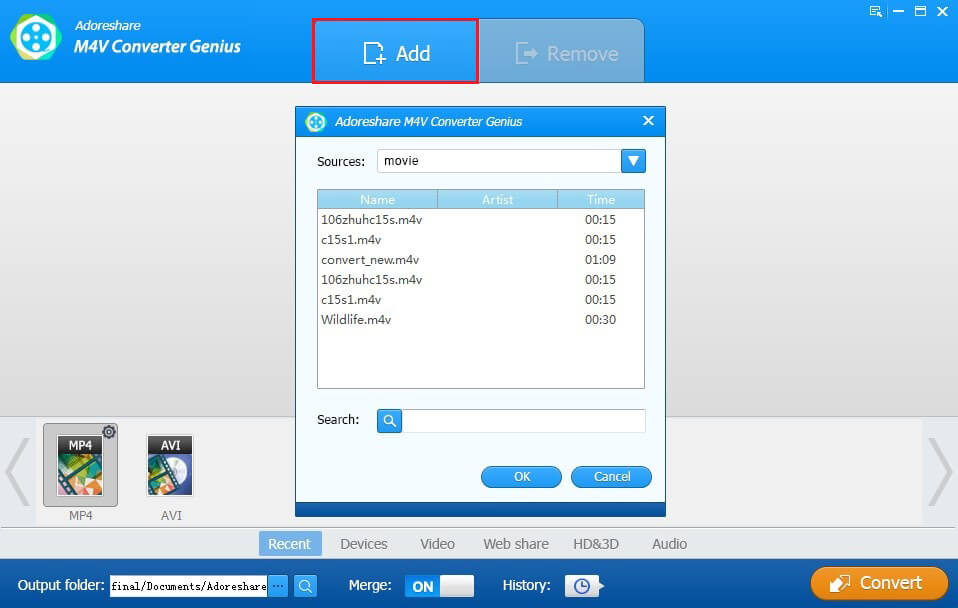
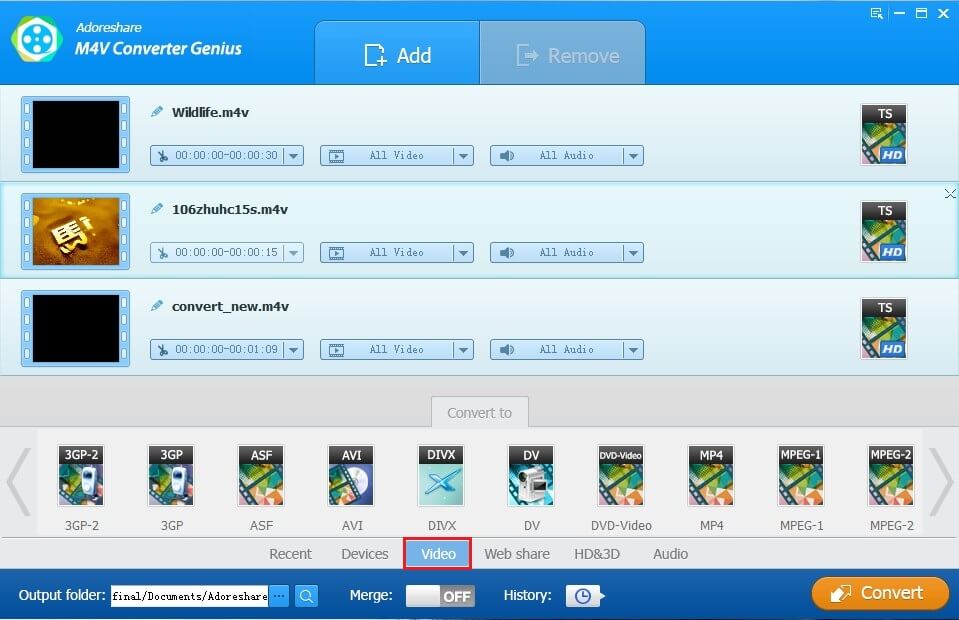
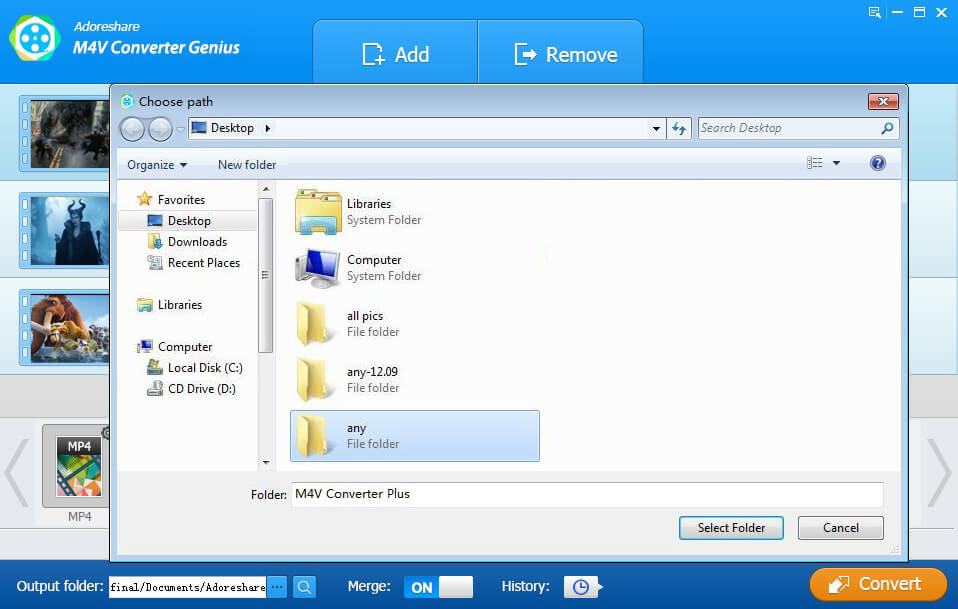
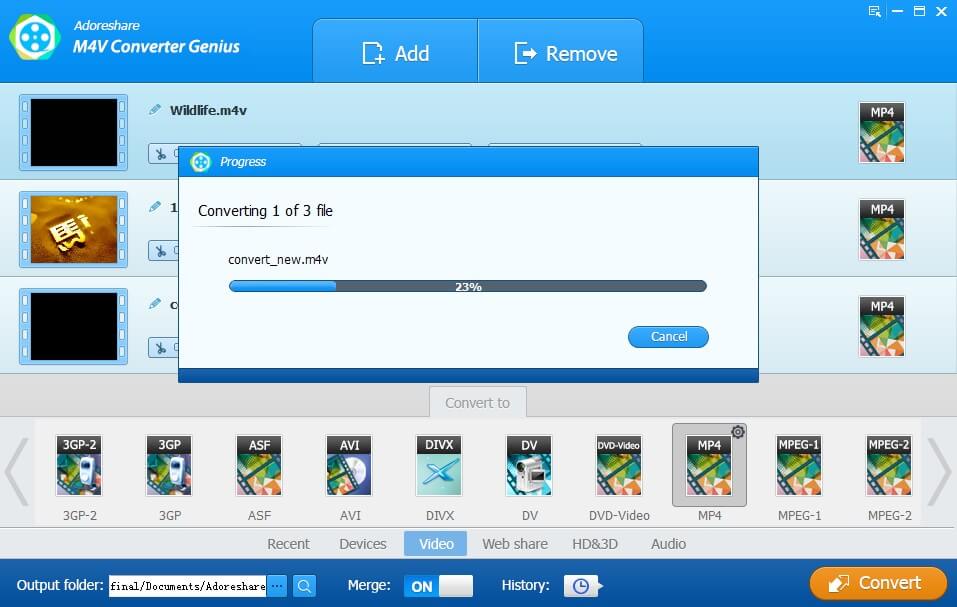
M4V Converter Genius is a piece of versatile software. It can convert DRM-protected M4V videos to VOB both on Windows and Mac (including Mac OS X 10.10 Yosemite, 10.9, 10.8, 10.7).
Free download Mac version of M4V Converter Genius and install it on your computer running Mac OS X. After launching it, please follow the tutorial in 1 to complete converting iTunes M4V to VOB on Mac.
This is all content about using M4V Converter Genius to convert DRM .M4V to .VOB on Windows and Mac. If you have any question or advice about the program, please contact us by leaving messages in the Comment box below. We promise to reply ASAP.